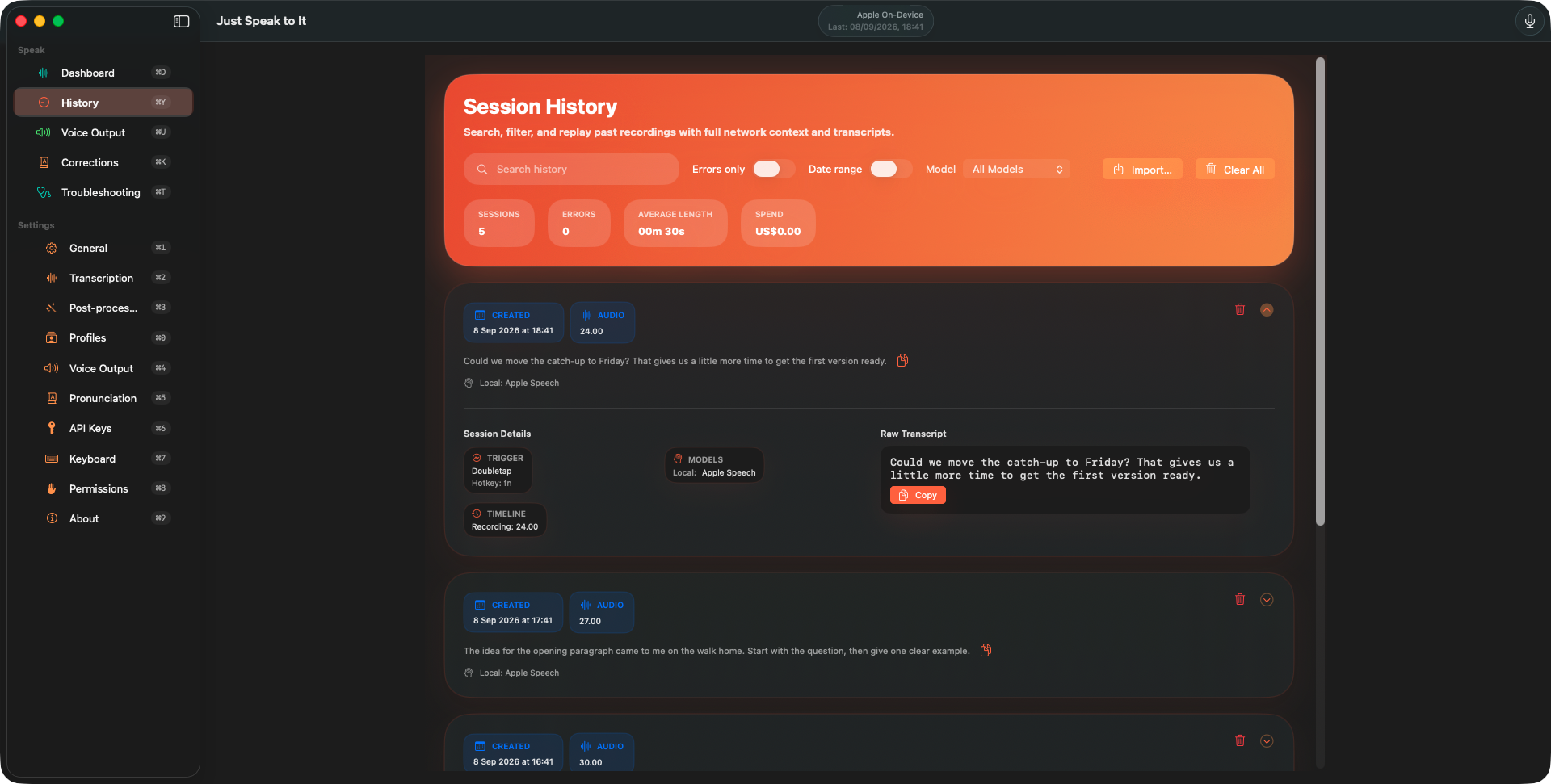
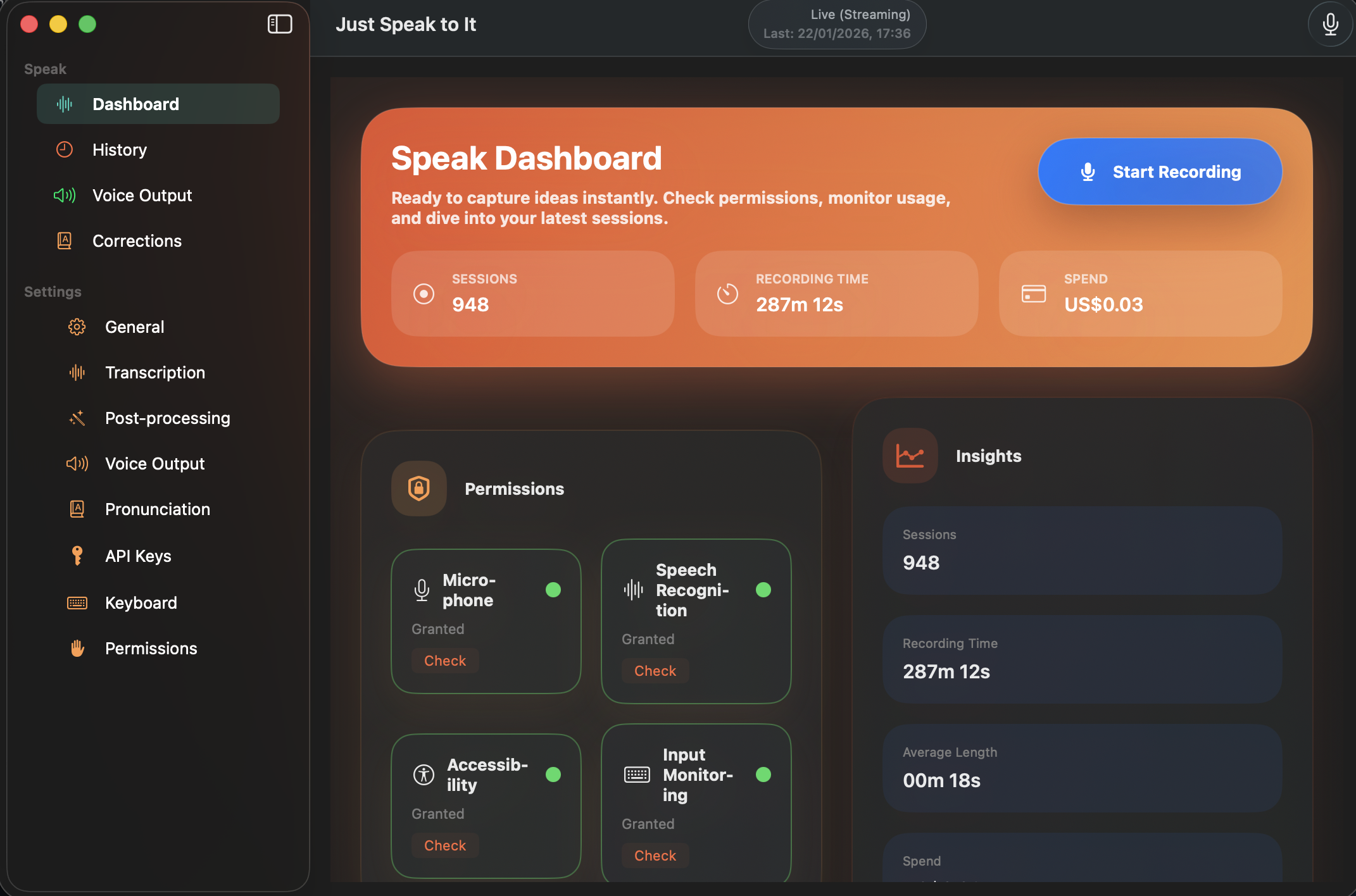
Hold a key and talk, and the words land in whatever you were typing in. You pick the speech model — one that runs on your own Mac, or a cloud provider you hold the key to.
Speech → text
Could we move the catch-up to Friday?Couldwemovethecatch-uptoFriday?
Native Mac, iPhone and iPadOn-device or your own API keysNo account, no subscriptionRead the source ↗
How it works
Hold. Speak. It is already typed.
No window to find, no button to hunt for. The app stays out of the way until you hold the key.
01
Hold the key.
Press and hold Fn, double-tap it, or record your own global shortcut — the app answers to all three out of the box. It fires while another app is frontmost, so Just Speak to It is never the window you are looking at.
fnhold, double-tap, or bind your own
02
Say it.
Words appear as you speak them, or hand over a recording and get it back transcribed. Your own corrections and pronunciations are applied on the way through, and a per-app profile can change the model and the prompt depending on what you were writing in.
Could we move the catch-up to Friday?
03
It is already there.
The session captures the field you were in before the recorder even appears, and puts the finished text back into that same field — even if you switched app mid-sentence. Prefer the clipboard? That is a setting, and it puts your old clipboard back afterwards.
✓Back into the app you started from
Automatic insertion belongs to the direct download, which uses macOS Accessibility. A sandboxed Mac App Store build could only ever reach the clipboard, so the app does not pretend otherwise.
Your words, your keys, your machine
There is no server in the middle.
Most dictation apps put themselves between you and a model. This one does not have anywhere to put your audio, because it never has it.
It can stay on the Mac.
Apple's on-device transcribers, six sizes of WhisperKit running through Core ML, and a local Parakeet model for live streaming. Transcript clean-up can use Apple's on-device Foundation model or a plain offline rules engine. Downloaded once, then no network at all.
Cloud means your key.
Every cloud provider is one you sign up for yourself. The key lives in the Keychain and the app posts your audio straight to that provider's own endpoint. There is no relay, no proxy and no first-party backend anywhere in the codebase — and you can check, because the codebase is public.
Nothing to sign up for.
No account, no login, no subscription. History lives on your device, and syncs through your own private iCloud only if you switch it on. Diagnostics and anonymous analytics are opt-in and never carry transcripts, audio or keys.
Two honest caveats. Apple's older Speech Recognition can fall back to Apple's servers when on-device recognition is not available on your Mac, and turning on iCloud sync or a cloud voice does send data off the device by design. The full privacy policy spells out each one.
Pick your engine
One app. Every speech model worth having.
Speech recognition is moving fast, so the app treats the model as a setting rather than a personality. Switch provider per session, compare two on the same audio, and see what each one cost you.
Live dictation 13 providers
Apple (on-device)
Deepgram
OpenAI
AssemblyAI
ElevenLabs
Soniox
Speechmatics
Cartesia
Gladia
Google
Modulate
Meta
xAI
19 streaming models. Words appear as you speak them.
Recorded audio 15 engines
Apple (on-device)
WhisperKit
Parakeet
OpenAI
Deepgram
AssemblyAI
ElevenLabs
Soniox
Groq
Mistral
Rev.ai
Google
Modulate
Meta
OpenRouter
Thirteen providers plus two families of models you download and run yourself. Drop in a voice memo, a meeting recording or an old interview.
Reading back 7 on Mac
macOS system voices
ElevenLabs
OpenAI
Deepgram Aura
Soniox
Cartesia
Azure
116 built-in voices, plus whatever your provider account lists. Two of these providers are wired up on iPhone.
Tidying it up 20 models
Apple Intelligence
Offline rules
GPT-5 family
Claude
Gemini
Llama
Qwen
Mistral
Optional clean-up pass that fixes punctuation and filler, or follows a prompt you wrote. Cloud ones route through your OpenRouter key.
Counts are of the shipped model catalogue, Sources/SpeakCore/ModelCatalog.swift. Availability varies by platform and by macOS version — iPhone shows a smaller set.
The version you use walking down the street. Start it without unlocking, stop it without looking, and find the words when you sit down.
The Action ButtonOne press starts it. With the Dictate action it also finishes on its own once you stop talking, and hands the text to whatever comes next in your shortcut.
Control Centre and the Lock ScreenA Transcribe control you can swipe to, and Siri phrases for starting, stopping and fetching the last transcription without opening the app.
A Live Activity with a real stop buttonThe Dynamic Island shows the status, the word count and the last few words while you talk, and the Stop button in it actually stops the recording.
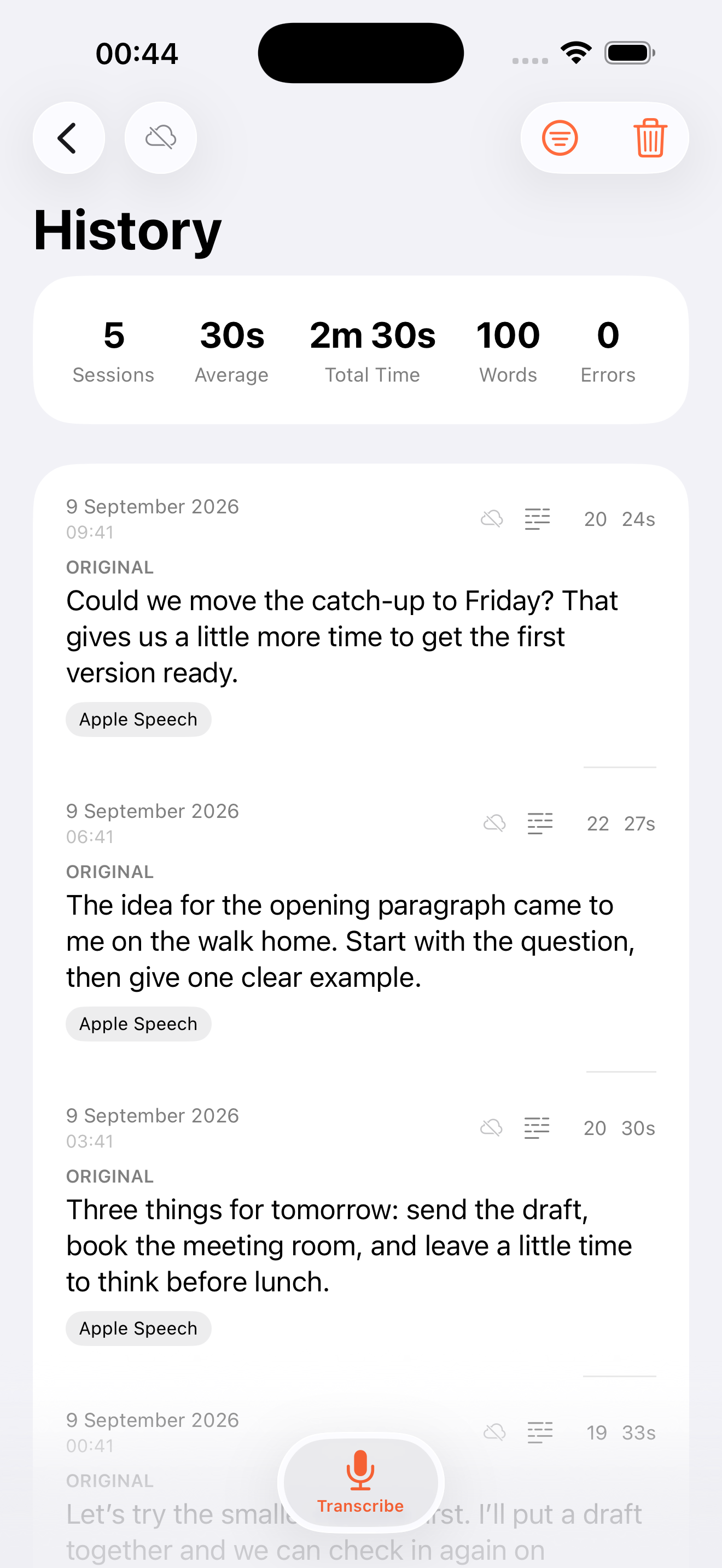
Where the words go is up to youCopy to the clipboard, copy and polish, or save quietly to History. Set it once in Hardware Trigger and every hands-free capture obeys it.
To your Mac, through your own iCloudA capture on the phone lands in your Mac’s History within seconds through your private iCloud, with a Continue-on-Mac Handoff pointer. The Mac offers a Paste action; pasting at the cursor is opt-in and reports what it actually did.
Hands-free, where the model supports itRecordings started from a control, the Action Button, Siri or a Shortcut can finish themselves after a pause, so you never have to find the phone again.
The iPhone app. Sample history.
For people who script things
Dictation with an API.
Three ways in, one vocabulary. Every surface talks to the running app, so your keys, profiles and model choices stay in one place — and no automation surface ever sees a credential.
Terminal
# A voice memo, straight to the clipboard$speak transcribe memo.m4a | pbcopy# Dictate a commit message$speak listen# ... talk ...$git commit -m "$(speak stop)"# The same verbs, for a coding agent$claude mcp add justspeaktoit -- speak mcp
The local socket the CLI and MCP server use is off until you turn it on in Settings → General → Automation. Anything running as you could otherwise start your microphone.
Shortcuts, Siri and the Action ButtonApp Intents on both platforms: start, stop and get the text, transcribe a file, fetch the last transcription, or polish text with your own prompt. On iOS, Dictate does the whole thing in one action and finishes when you stop talking.
The speak CLItranscribe, listen, stop, history, status. Every command takes --json and prints one versioned envelope for success and failure alike, with distinct exit codes, so scripts can branch properly.
An MCP serverspeak mcp exposes start_dictation, stop_dictation, transcribe_file and get_history over stdio to Claude Code and any other MCP client. Calls are idempotent, so a retrying agent cannot open a second microphone.
A URL scheme with callbacksjustspeaktoit:// with start, stop, toggle and dictate, a per-capture destination, language, model and maximum duration, and x-callback-url so Drafts, Shortcuts and iOS 17 automations get the text back. Any app can open the scheme, so the microphone only starts with the app in front of you.